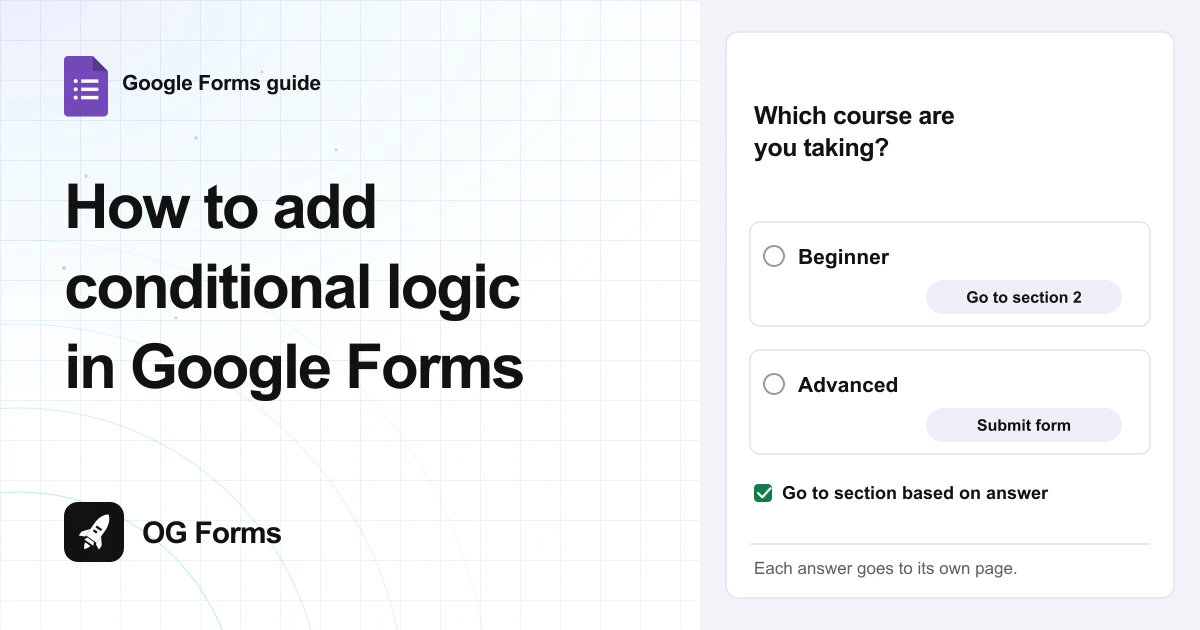
Open the question’s three dot menu and choose Go to section based on answer. Then pick a destination next to each answer.
Conditional logic in Google Forms sends someone to a different section based on the answer they pick.
I checked these steps in Google Forms in November 2026, on a free account. The labels and screenshots are what the editor shows today.
It works on Multiple choice and Drop-down questions only. Everything else has no such option in its menu.
If you would rather not build the pages first, there is another way.
A Google Forms alternative shows or hides a question on any answer, on any question type. Google’s version needs a section for each path, so the steps below start there.
Step 1: Add a section for each path
Branching sends people to a section, so build the sections first. You need at least two: the one the branches share, and one for each outcome.
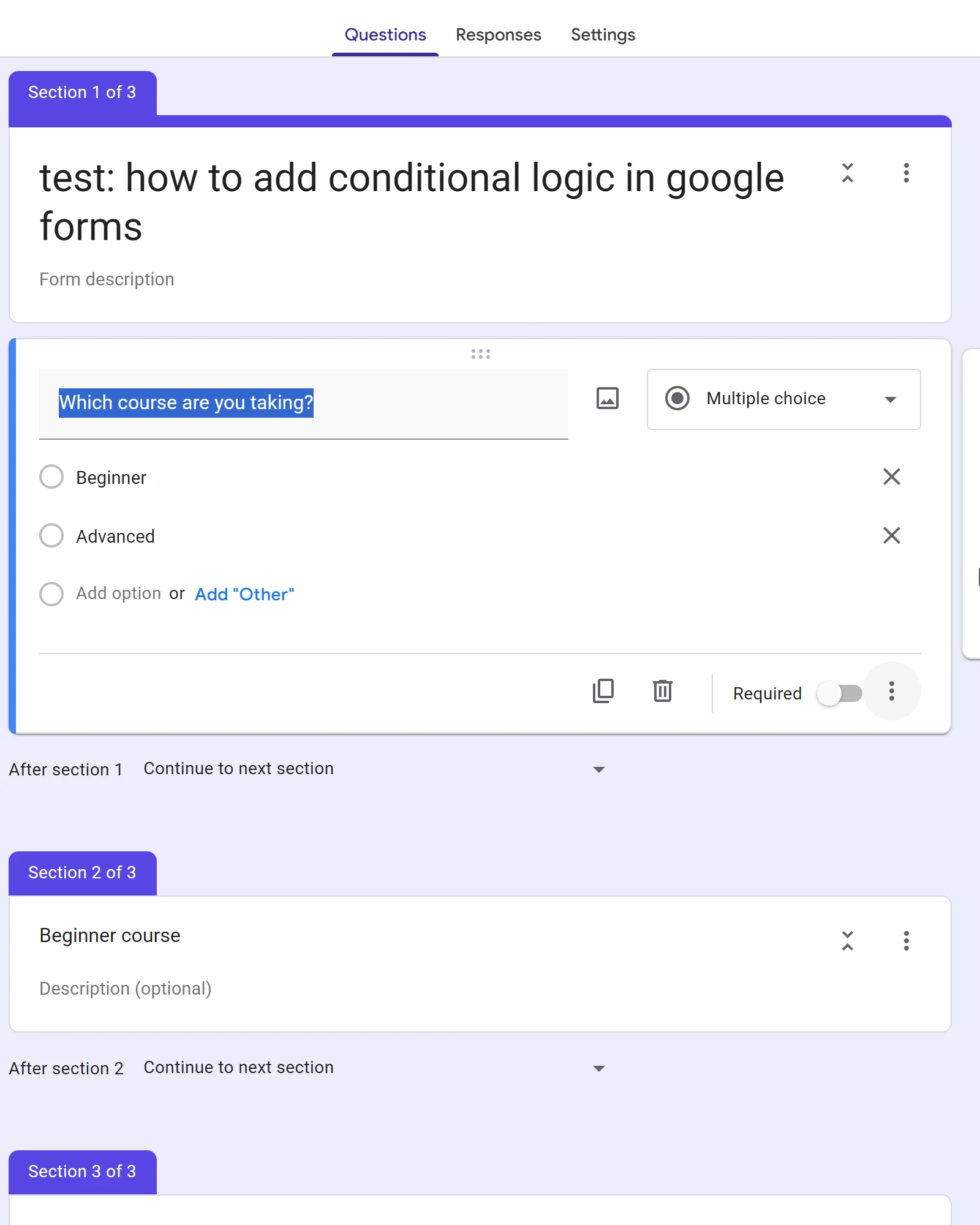
- Open your form in Google Forms.
- Click Add section in the toolbar on the right.
- Click Untitled section and name it for the path, for example Beginner course.
- Add a section for each other path.
If sections are new to you, how to add sections in Google Forms covers the button and the naming.
Step 2: Turn on branching
The question decides the path, so it has to be a Multiple choice or Drop-down question. Nothing else offers the option.
- Add the question that asks the deciding question. Mine reads Which course are you taking?
- Change its type to Multiple choice or Drop-down.
- Type the answers. Each one becomes a destination, so keep them short.
- Click the three dot menu at the bottom right of the question.
- Choose Go to section based on answer.
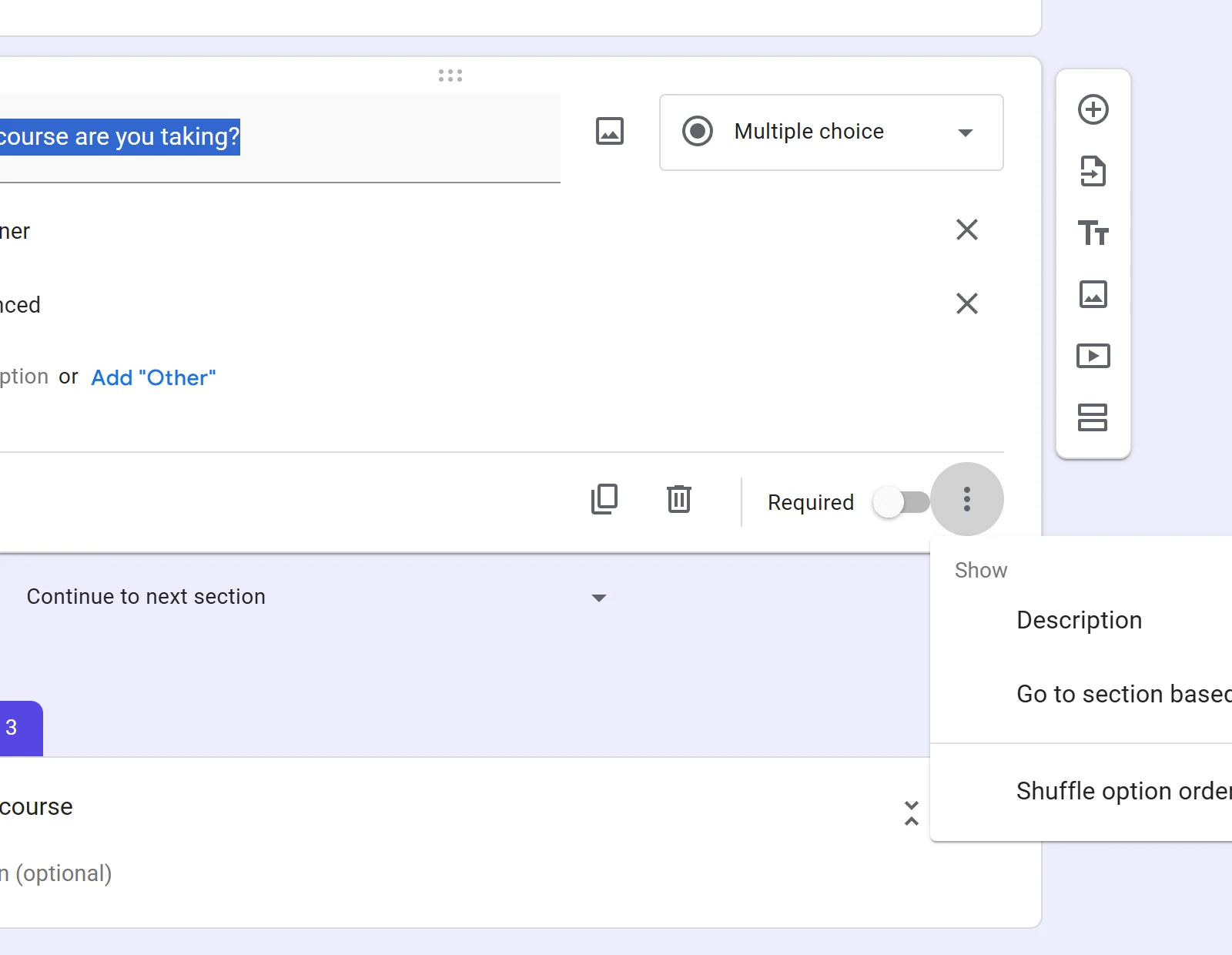
Google’s help page on showing questions based on answers walks through the same steps, and states the type limit.
Step 3: Point each answer at a section
A dropdown appears beside every answer. Each one starts on Continue to next section, which is the normal top to bottom order.
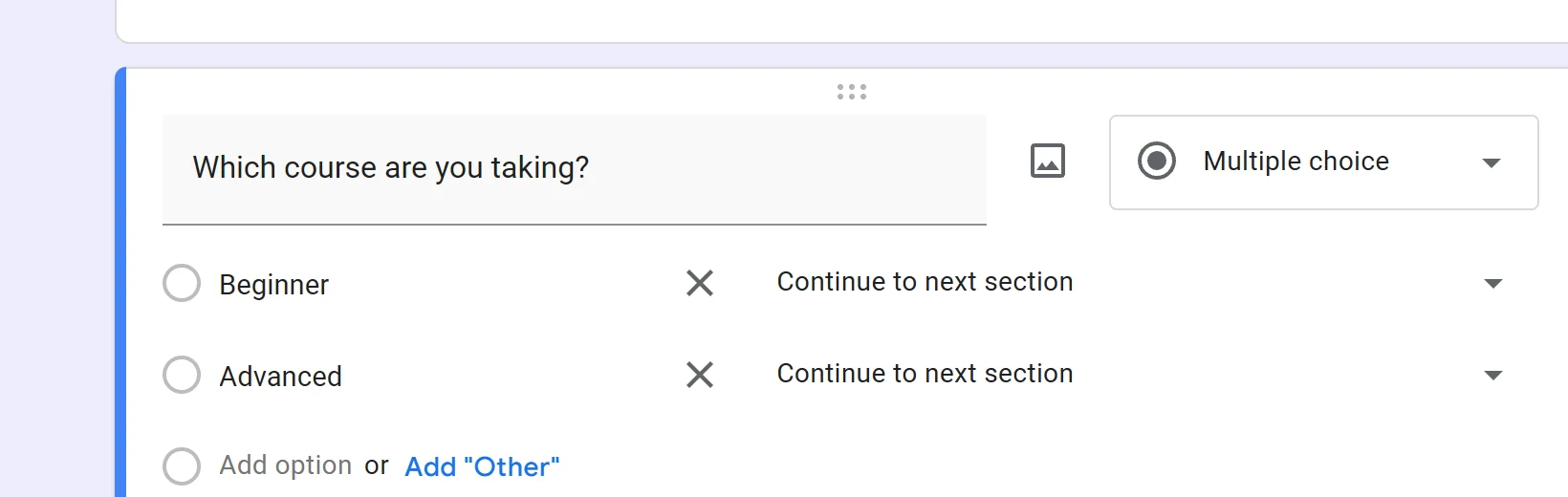
Open a dropdown and you get five kinds of destination:
- Continue to next section, the default.
- Go to section 1, and every other section by name.
- Submit form, which ends the form on that answer.
Set the beginner answer to Go to section 2 (Beginner course). Set the other answer to Go to section 3 (Advanced course). People then skip every section in between.
The destinations are not limited to the sections ahead of you. An earlier section is on the list too. That is how people loop back to a shared closing page.
Step 4: Stop a branch falling through
This is the part that catches everyone. After someone finishes a branch section, the form carries on to the next one in the list. That is usually the other branch.
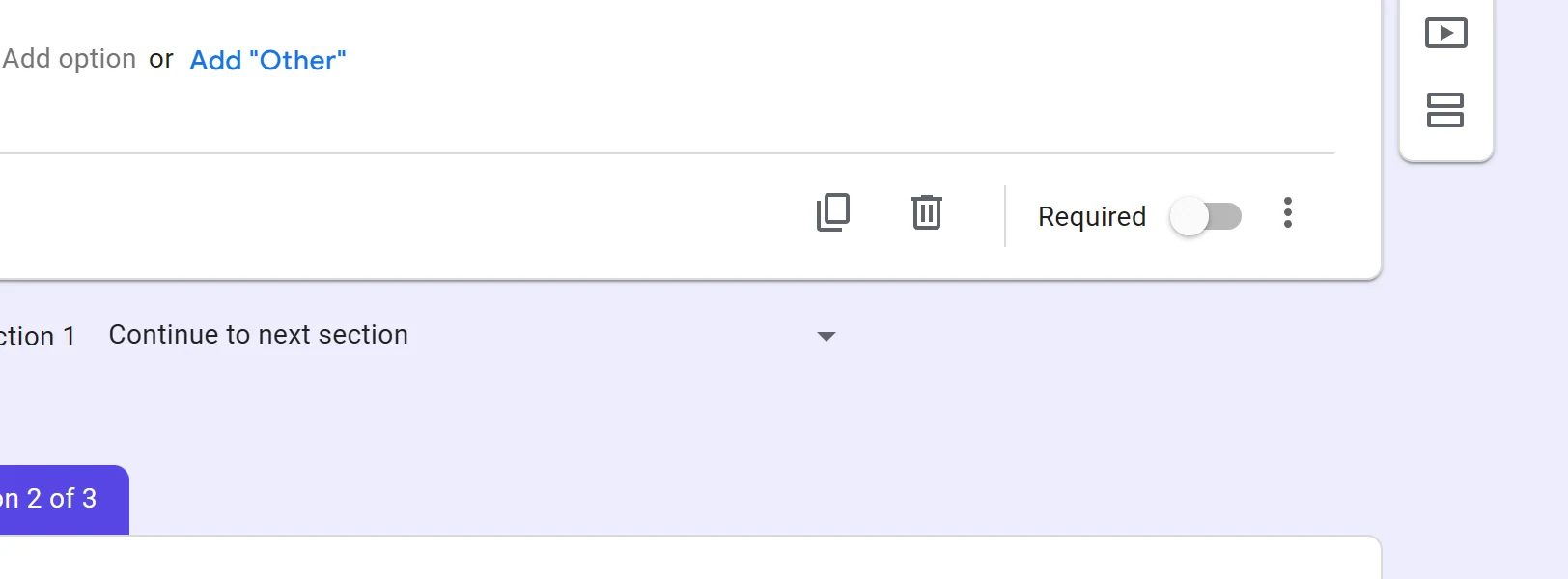
Open the section that ends a branch, and find the dropdown at its bottom. It reads Continue to next section.
Change it to Submit form and that path ends there. If both paths should meet at a shared ending, point it at that section instead.
Forget this step and a beginner reads the advanced questions. That is why branching looks broken for so many people.
Which question types can branch?
Two: Multiple choice and Drop-down. Every other type, from Short answer to File upload, shows no Go to section based on answer in its menu.
For a yes or no, use a Multiple choice with two answers. That is the only way to branch on a yes. If it is a number, use a Drop-down of ranges.
Why does branching not work?
| What you see | Why | Fix |
|---|---|---|
| Everyone sees every section | One answer is still on Continue to next section | Open that answer’s dropdown and set the section |
| A beginner ends up on the advanced questions | The branch section has no ending | Set the branch section’s dropdown to Submit form |
| The option is not in the menu | The question is not Multiple choice or Drop-down | Change the question type first |
| Answers go to the wrong branch | The sections are in the wrong order | Use Move section to reorder, then re-check each dropdown |
| Nobody reaches the last section | A branch is set to Submit form by mistake | Set that section back to Continue to next section |
What conditional logic will not do
Google Forms branches one question at a time. There are no rules with two conditions, and no AND.
“Beginner and level one” has to be two separate jumps.
It cannot show a single extra question inside a section either. The smallest unit it can change is a whole section.
That is why “if yes, please specify” needs a section. One question sends people to a page that holds the follow up. There is no inline version.
Where Google Forms stops
Rules in Google Forms are section jumps from two question types. There are no conditions on a text answer, and no AND. Nothing can change one question on the same page.
We build OG Forms, so weigh this part knowing that. Its logic shows, hides or skips any question on any answer.
It is not limited to two question types. You can check the rest on the features page before you move anything.
If two sections and a few dropdowns solve your problem, use them. They cost nothing.
FAQ
Does Google Forms have conditional logic?
Yes, one kind. A Multiple choice or Drop-down question can send people to a different section for each answer. Google calls it Go to section based on answer.
Can conditional logic show a single question?
No. Google Forms can only show or skip a whole section. One follow up question means one extra section.
Can one rule check two answers?
No. Each answer maps to one destination, and there is no way to combine two questions in a single rule.
Why do people see sections they should skip?
Two causes. Their answer is still on Continue to next section, or the branch they finished has no ending. Set the end of each branch to Submit form.
Can you send someone back to an earlier section?
Yes. Every section is on the destination list, including the ones above the question. Set an answer to an earlier section to loop back to a shared closing page.
What’s next
Next in this course is how to make a quiz in Google Forms, which turns correct answers into marks.
If you are still deciding what to ask, Google Forms question types covers which type takes an answer key and which does not.