Dashboard tour
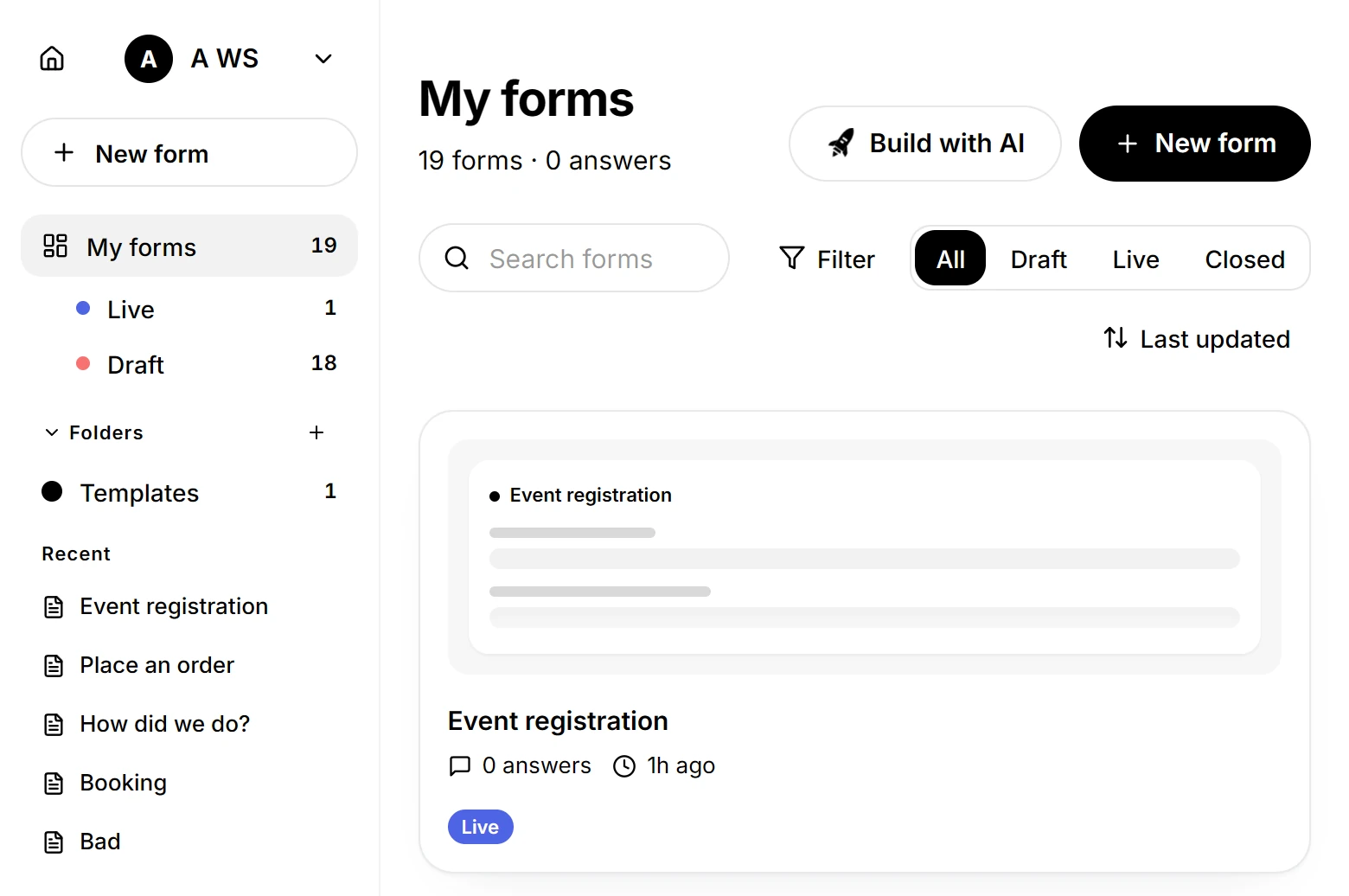
The dashboard lists every form in your workspace, with the controls for finding one and managing it.
Updated
Forms are sorted by the last change, newest first. Three parts to the screen: the sidebar, the toolbar, and the cards.
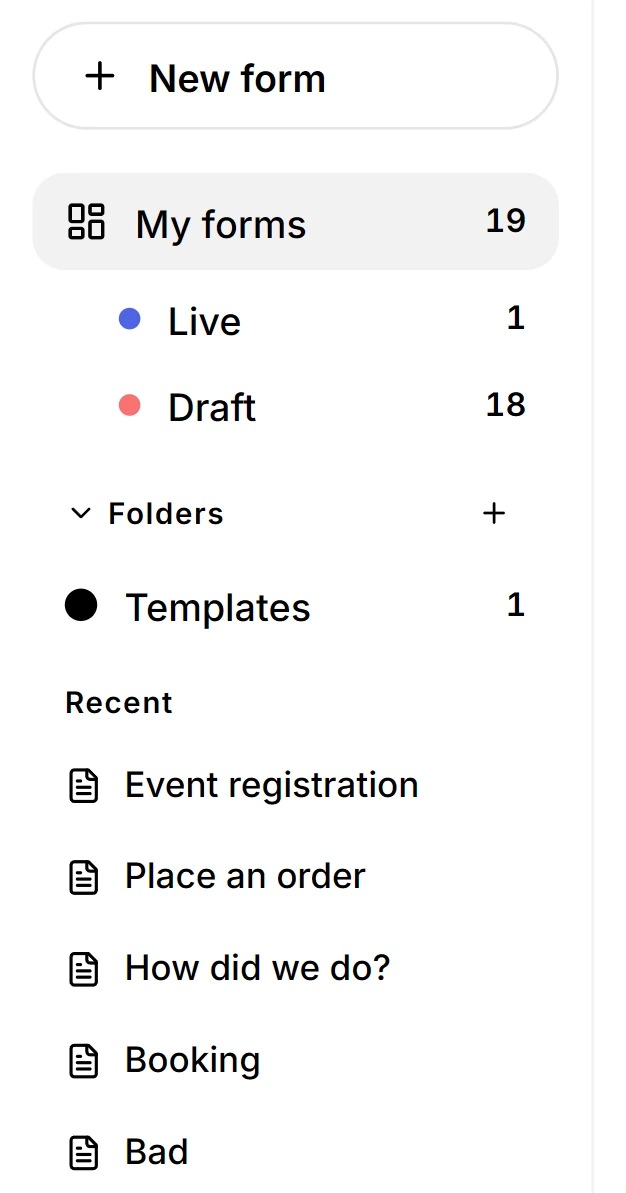
Sidebar
- My forms lists every form, with the count beside it.
- Live, Draft and Closed appear only when you have a form in that state. A new workspace shows none of them, which keeps the sidebar to the lists that have something in them.
- Folders group forms. A folder is a view, not a permission, so filing a form there does not share it.
- Templates, Trash and Settings sit at the bottom.
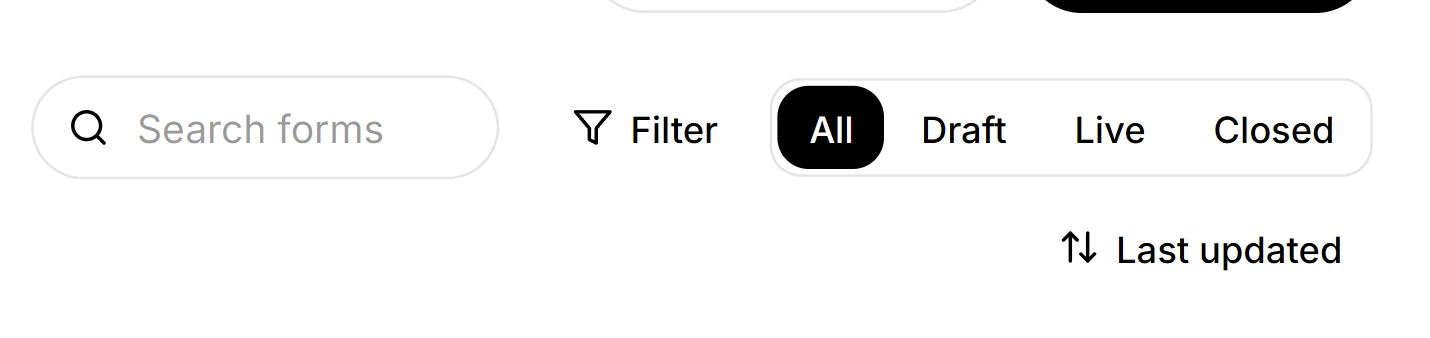
Search and filter
- Search forms matches the form title as you type. It does not look inside questions.
- Filter narrows by Created date, Folder or Created by. Each one you apply becomes a chip with an x, so a filter you cannot explain is one click from gone.
- All, Draft, Live and Closed narrow by state.
- The sort button cycles Last updated, Name and Responses. There is no dropdown.
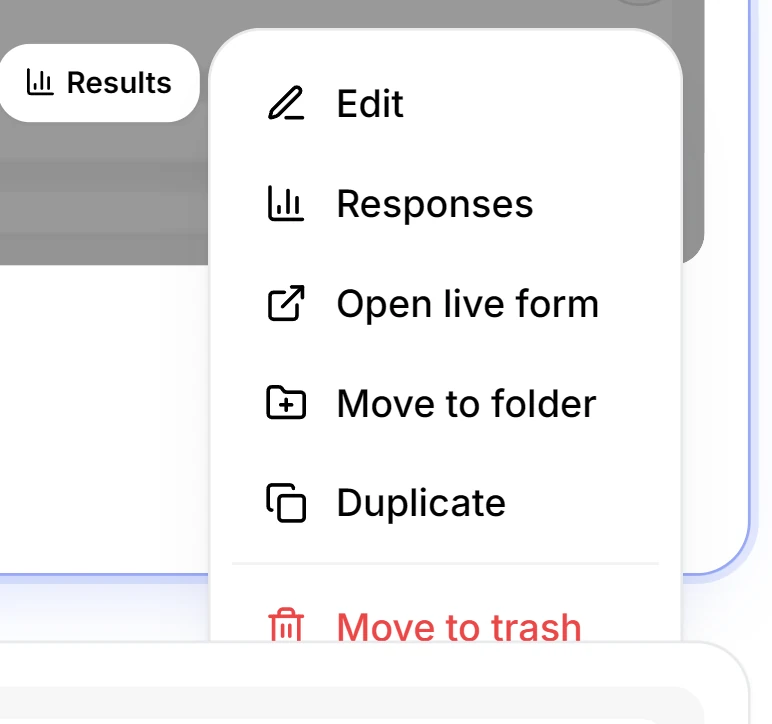
The menu on a card
- Edit opens the builder. Responses opens the answers.
- Open live form opens the published form in a new tab. A draft does not show it.
- Move to folder files the form.
- Duplicate copies the title and description, not the questions.
- Move to trash takes the form off the list for seven days.
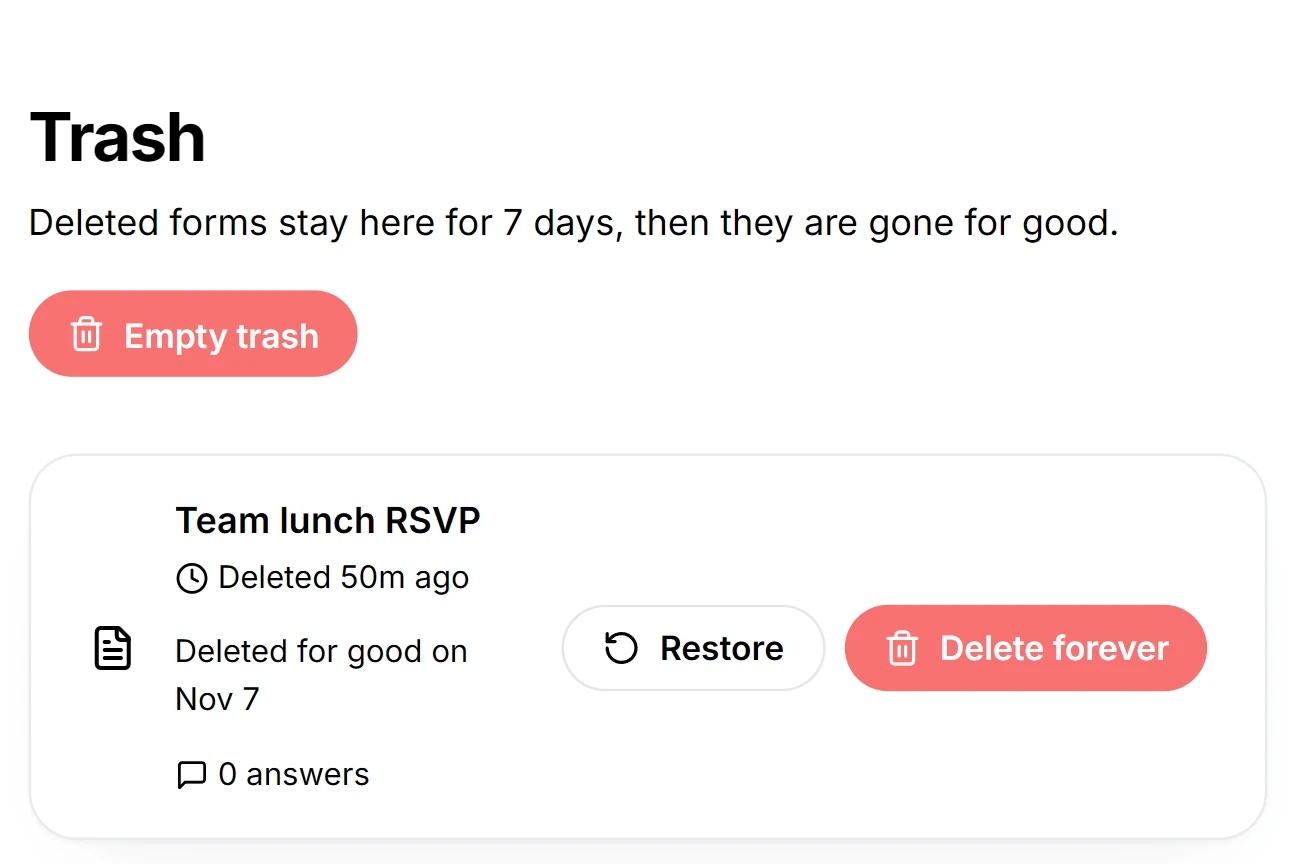
Trash
- A deleted form stays here for seven days, and the row shows the date it goes for good.
- Restore puts it back in My forms, with its answers, because deleting a form does not delete the answers.
- Delete forever and Empty trash remove it at once and cannot be undone.